Next.js + Supabase stack
Auth, DB, storage wired up
Supabase Auth for login, Postgres tables for CRUD, and Storage for file uploads are already set up. Just plug in your own Supabase keys and go.
A Next.js + Supabase admin console for managing products and news, shipped as a starter kit.
Auth, CRUD, lists & detail views, basic i18n, and image upload are already wired up, so you can focus on your business logic instead of boilerplate.
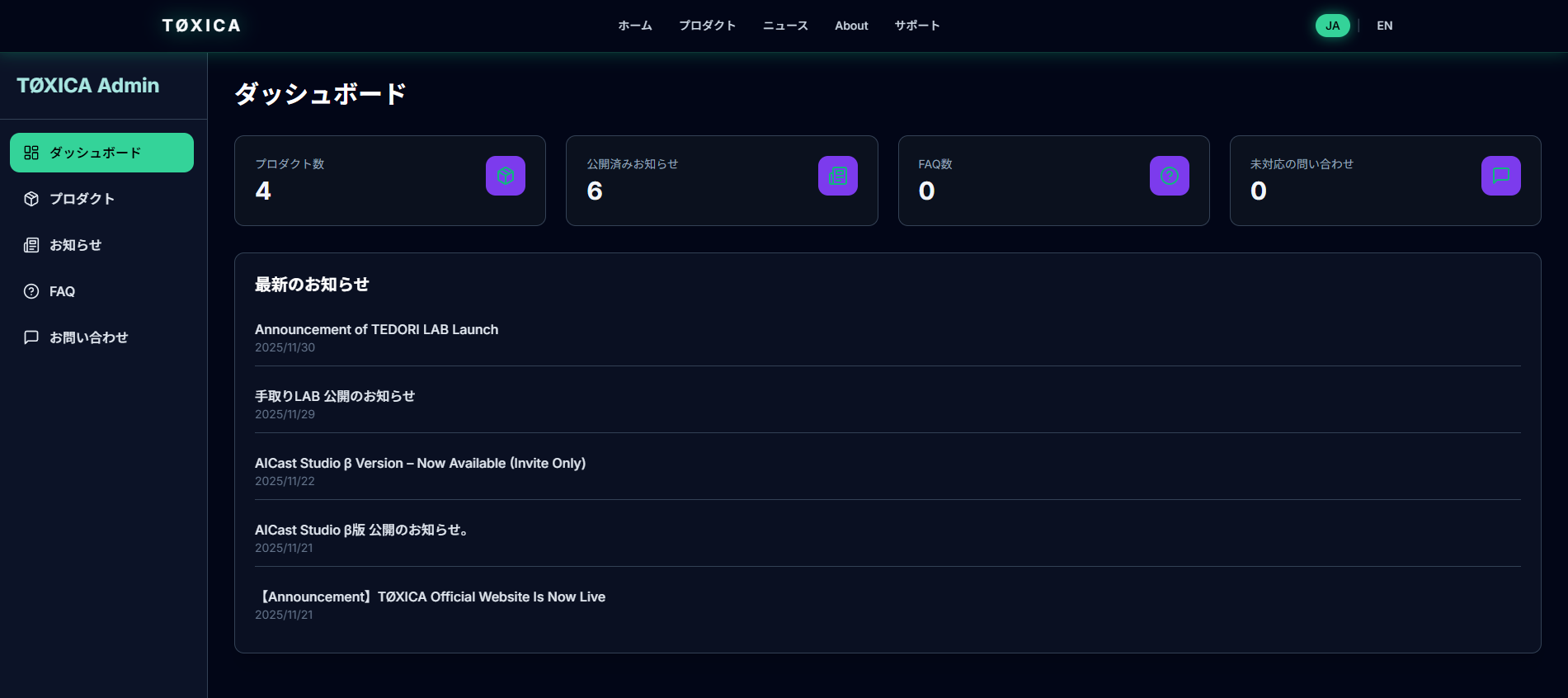
Supabase Auth for login, Postgres tables for CRUD, and Storage for file uploads are already set up. Just plug in your own Supabase keys and go.
Product list, detail, status (idea / active / archived), news list and publishing features are ready to reuse. Use as is or adapt it for your client projects.
Texts are handled via JSON so you can easily extend or adapt them. The same structure can be reused by your public site or marketing pages.
When you purchase the ProjectConsole Starter Kit, you get complete source code and setup instructions.
You can integrate it into your own SaaS, or use it as a base for multiple client projects. Redistribution of the kit itself is not allowed.

You bring your own Supabase / Vercel accounts and follow the setup guide.
Use the Stripe button on this page. Once the payment is complete, you’ll receive an email with download instructions.
Create a Supabase project and a Vercel project, then follow the guide to add environment variables and run the SQL scripts.
Update branding, fields and copy to match your project. From there, you can focus on what makes your SaaS unique.
※ Access to the setup guide requires a password. The password is included in the purchase confirmation email.
npm install
Create a new project on Supabase and paste the content of
supabase/schema.sql into the SQL Editor, then execute it.
NEXT_PUBLIC_SUPABASE_URL=xxx
NEXT_PUBLIC_SUPABASE_ANON_KEY=xxx
SUPABASE_SERVICE_KEY=xxxIf you use image uploading, create a bucket in Supabase Storage.
npm run devImport your GitHub repository to Vercel, set the environment variables, and deploy.
If you want to enable payments, set your Stripe Secret Key here.
/public/logo.svg/styles/globals.css/lib/i18n/en.json
Q. Is the admin dashboard in English?
→ Default language is Japanese. English localization is available
as a paid add-on.
This starter kit, including all source code, assets, and documentation, is provided "as is" without warranties of any kind, whether express or implied. The provider assumes no responsibility for any damages or losses arising from the use, modification, deployment, distribution, or resale of this kit, including but not limited to direct, indirect, incidental, consequential, or special damages.
The user agrees and acknowledges the following:
The provider shall not be liable for any disputes, data loss, service interruption, financial loss, or any other damages resulting from the use of this kit.
Due to the nature of digital products, all sales of this starter kit are considered final and non-refundable.
Refunds will not be issued for the following reasons:
If you believe you have received the wrong product or the files are corrupted, please contact us within 7 days and we will review your case. Replacement files may be provided at our discretion.
By completing your purchase, you acknowledge and agree to this refund policy.
By purchasing this starter kit, you are granted a non-exclusive, non-transferable license to use and modify the source code for your own personal or commercial projects.
This kit relies on external services such as Supabase, Vercel, and Stripe. You are responsible for complying with their respective terms of service.
The provider is not liable for any issues, damages, or losses arising from the use of the kit, including but not limited to deployment problems, security issues, legal compliance, or financial loss.
By using this kit, you agree to these terms.